Overseas Marketing · Deepege Editorial Team
YouTube Ad Length in 2026: Bumpers, Skippable Ads, and Non-Skippable Limits
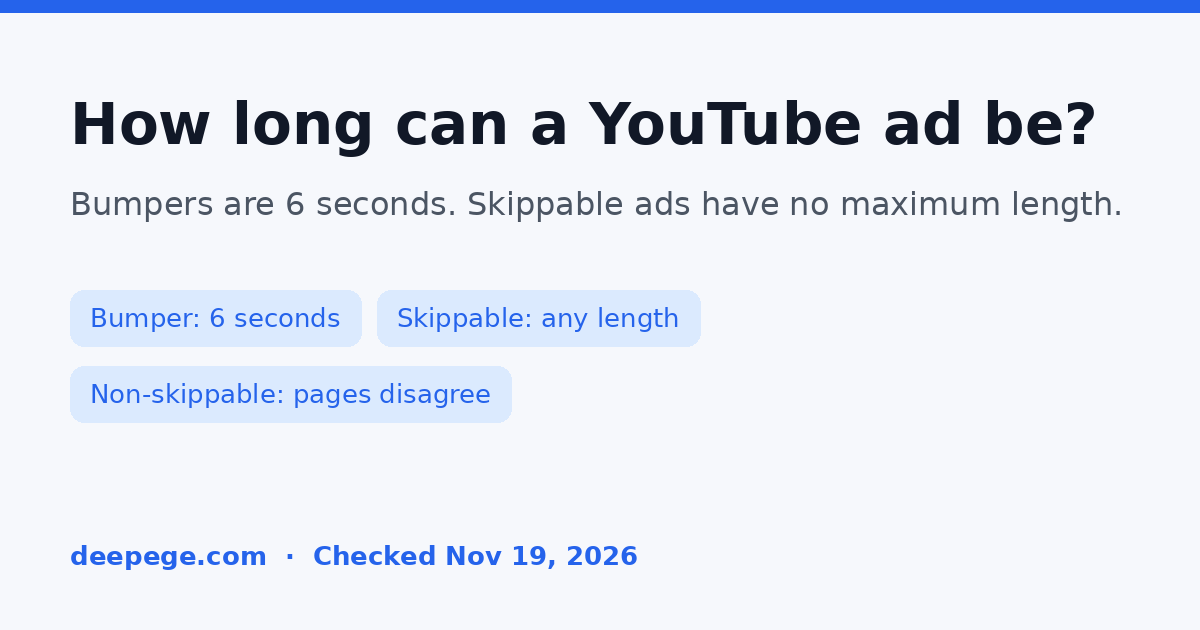
YouTube ad length depends on the format you buy, not on one site-wide cap. Official YouTube Help, checked on November 19, 2026, lists bumper ads at 6 seconds (with a 5-second minimum) and skippable in-stream ads with no maximum length (under 3 minutes recommended). Official non-skippable limits do not match across Google pages, so this guide quotes both wordings rather than inventing one official maximum.
Quick answer (checked November 19, 2026):
| Format | Official length wording | Kind of figure | Source |
|---|---|---|---|
| Skippable in-stream | No max length (under 3 minutes recommended) | Format comparison | About video ad formats |
| In-feed | No max length | Format comparison | Same YouTube Help page |
| Non-skippable in-stream (YouTube Help) | 15-60 seconds (depending on the campaign subtype) | Format comparison | Same YouTube Help page |
| Non-skippable in-stream (Google Ads Help) | Bumper up to 6 seconds; standard 7 to 15 seconds; CTV 16-30 seconds; "your ad should be 30 seconds (or shorter)" | Advertiser format rules; this page disagrees with the 15-60 second wording | Non-skippable in-stream ads |
| Bumper (YouTube Help) | 6 seconds (>=5 seconds minimum) | Format comparison | About video ad formats |
| YouTube Shorts ads | Under 60 seconds recommended | Recommended length, not a hard max on that table | Same YouTube Help page |
| YouTube Masthead | No max length (recommend greater than 10 seconds) | Format comparison | Same YouTube Help page |
| In-video asset length (Google Ads Help) | 15 seconds recommended | Recommended asset length, not the hard format cap | Video ads specs and format requirements |
| Video action campaigns | 10 seconds or longer recommended | Recommended asset length | Same Google Ads Help page |

How long can a YouTube ad be in 2026?
There is no single official YouTube ad length. YouTube Help's About video ad formats page, fetched on November 19, 2026, compares formats side by side. Skippable in-stream and in-feed ads have no maximum length (skippable ads are recommended under 3 minutes). Bumper ads are listed at 6 seconds, with a 5-second minimum. Shorts ads are recommended under 60 seconds. Masthead ads have no maximum, with a recommendation of greater than 10 seconds.
Non-skippable in-stream ads are the messy row. The same YouTube Help table says "15-60 seconds (depending on the campaign subtype)." Google Ads Help says something different. Those two official wordings are both quoted below. We are not flattening them into one invented official max, neither 60 seconds alone nor 30 seconds alone.
This page is about advertiser format caps. For organic upload limits and mid-roll eligibility at 8 minutes, see how long YouTube videos can be. For Shorts upload rules, see YouTube Shorts length.
How long is a YouTube bumper ad?
On the YouTube Help format table, a bumper is "6 seconds (>=5 seconds minimum)." Google Ads Help's non-skippable article describes bumper ads as "Videos up to 6 seconds long," and says that if an ad is 6 seconds or shorter, it will run as a bumper. YouTube's creator-facing advertising formats page, which is about ads that run on your videos rather than a buying guide, also says bumpers are "up to 6 seconds."
If you are exporting a bumper, 6 seconds is the figure every official page we opened agrees on, and YouTube Help's advertiser table also allows a 5-second minimum.
What is the YouTube skippable ad length?
Skippable in-stream ads have no official maximum. YouTube Help's format table says "No max length ( <3 min recommended)." Skippable in-stream ads in Google Ads Help says the same thing in different words: "Any length. No minimum or maximum."
Viewers can skip the ad after 5 seconds. With CPV bidding, you pay when a viewer watches 30 seconds of the video, or the entire duration if it is shorter than 30 seconds, or interacts with the video, whichever comes first.
The Google Ads Help page also lists best practices by marketing objective, which are not caps: Awareness 15 to 20 seconds, Consideration 2 to 3 minutes, and Action 15 to 20 seconds. Views count toward your YouTube view count only if the video is longer than 10 seconds. For Reservation in Google Ads, skippable in-stream ads should be a minimum of 12 seconds and a maximum of 6 minutes. That Reservation window is a separate rule, not the general skippable cap.
Why do official non-skippable limits disagree?
This is the fact that most 2026 roundups flatten, and we are not going to flatten it.
YouTube Help's advertiser format table, checked on November 19, 2026, says non-skippable in-stream ads are "15-60 seconds (depending on the campaign subtype)."
Google Ads Help's Non-skippable in-stream ads page, also fetched on November 19, 2026, lists three advertiser formats:
- Bumper ads: videos up to 6 seconds long
- Standard non-skippable: videos between 7 to 15 seconds long
- 30-second non-skippable (CTV): videos 16-30 seconds long that are shown on Connected TV
The same page also says you can create a non-skippable mix with videos of 6 seconds, 15 seconds, and 30 seconds, and that "For non-skippable in-stream, your ad should be 30 seconds (or shorter)." 30-second video assets must be horizontal; square or vertical assets will not be able to run.
Those are not the same official limits. 15-60 seconds depending on campaign subtype is not the same as 7-15 seconds, 16-30 seconds on CTV, or "30 seconds (or shorter)." We are quoting both pages and the November 19, 2026 check date. If you are buying a non-skippable ad, use the campaign subtype in your live Google Ads account rather than picking one of these wordings and treating it as the only official cap.
YouTube's creator-facing advertising formats page adds a third wording: non-skippable video ads are "15 or 20 seconds in length, depending on regional standards," and "On TVs only, may be 30 seconds." That page is about ads that run on your videos, not the advertiser buying guide, and we are not using it as the advertiser cap.
How long should YouTube Shorts ads and Masthead ads be?
For Shorts ads, YouTube Help's format table recommends under 60 seconds. That is a recommendation, not a hard maximum on that table. If a Shorts campaign uses CPV bidding, a TrueView view is counted when a viewer watches 10 seconds or until the end of the video, whichever comes first, or clicks the call-to-action, Like, Comments, or Share button. That 10-second Shorts view rule is not the same as the 30-second CPV rule for skippable in-stream ads.
For Masthead ads, the same YouTube Help table says there is no maximum length, and it recommends greater than 10 seconds. Google Ads Help's specs page lists the Masthead recommended length as "Any length."
What recommended lengths appear on the Google Ads specs page?
Video ads specs and format requirements is a recommended-length and technical-spec page. It is not the same thing as the hard format caps in YouTube Help's format table.
The general in-video asset table recommends 15 seconds for 16:9 (1920x1080), 9:16 (1080x1920), and 1:1 (1080x1080). Files should be less than 256 GB. Several container formats are accepted, including MPG, MP4, MOV, and others listed on that page; audio-only files are not accepted.
Other recommended lengths on the same page include Masthead at any length; video action campaigns at 10 seconds or longer; Efficient Reach at 15 seconds for 16:9 in-stream skippable and in-feed, 6 seconds for bumpers, and 6-60 seconds for 9:16 Shorts and 1:1; and Target Frequency at 15 seconds for 16:9 in-stream skippable and in-feed, plus 6 seconds for bumpers. The same page also lists text limits, including Masthead headlines of 40 characters or fewer. Those recommended lengths can help you choose an export, but they do not replace the format caps or resolve the official non-skippable disagreement.
How does YouTube ad length compare with organic YouTube, Instagram, and Facebook?
Advertiser caps are not the same as upload caps. How long YouTube videos can be covers the default upload limit and mid-roll eligibility at 8 minutes. The creator-facing advertising formats page also notes that you can turn on mid-roll ads for videos longer than 8 minutes, and that ad pods can appear on long-form videos at least 5 minutes long. This guide does not retell the organic upload rules.
YouTube Shorts length is the organic Shorts comparison. How long Instagram videos can be and Facebook video length are the other social-surface comparisons. Snapchat video length covers Stories, Spotlight, and the official create versus web-upload disagreement. If you are making UGC-style ads, best AI UGC ad generators is the tool-comparison page in this cluster.
If you need one cut for several networks, start from the tightest cap you actually need, then export a YouTube-native version. How to repurpose video content walks through that recutting work. A hook generator and a video script generator can help you write the first seconds and the script. They do not buy YouTube ads or apply these format caps automatically.
How should a brand plan YouTube ad length?
YouTube and Google Ads Help do not give one preferred length for every campaign. Use the format you will actually buy:
- Decide the format before you export. Bumper, skippable in-stream, non-skippable, in-feed, Shorts, and Masthead are not covered by one official number.
- If you are buying a bumper, export a 6-second file (YouTube Help also allows a 5-second minimum). Every official page we opened agrees that bumpers are up to 6 seconds.
- If you are buying a skippable in-stream ad, any length is accepted, and under 3 minutes is recommended. Viewers can skip after 5 seconds, and CPV billing uses a 30-second view (or the full ad if it is shorter). If you are buying Reservation, stay between 12 seconds and 6 minutes.
- If you are buying a non-skippable ad, do not invent one official maximum. YouTube Help says 15-60 seconds depending on the campaign subtype. Google Ads Help says 7-15 seconds for standard non-skippable ads, 16-30 seconds for CTV, and that the ad should be 30 seconds or shorter. Use the campaign subtype in your live account, and keep 30-second assets horizontal.
- If you are buying Shorts ads, the format table recommends under 60 seconds. CPV TrueView views on Shorts use a 10-second rule, not the 30-second in-stream rule. For Masthead, there is no maximum; YouTube Help recommends greater than 10 seconds.
- Keep the file under 256 GB and use an accepted video container, not an audio-only file. A hook generator can draft the opening seconds, and a video script generator can outline the cutdown. See how to repurpose video content.

How we checked these YouTube ad length limits
We opened official YouTube Help and Google Ads Help pages on November 19, 2026, saved the rendered text, and copied the length wording from those pages. The primary sources are About video ad formats, Video ads specs and format requirements, Skippable in-stream ads, and Non-skippable in-stream ads. We also opened YouTube advertising formats, and we treated it as a creator-facing page about ads that run on your videos, not as the advertiser cap. Where a specs page lists a recommended length, we labeled it as a recommendation. Where official non-skippable wordings disagree, we kept both wordings.
Can you make a YouTube-ready ad in Deepege?
Deepege is our own product. It can generate a marketing video, a hook, or a script that you then download and upload yourself. It does not post to YouTube, buy YouTube ads, or apply these format caps automatically. If you use it, export a 6-second bumper when you need one, keep a skippable cut under 3 minutes unless you have a reason to go longer, and pick a non-skippable length that fits the campaign subtype in your live Google Ads account.
FAQ
How long can a YouTube ad be in 2026?
It depends on the format. Bumper ads are 6 seconds, with a 5-second minimum on YouTube Help's format table. Skippable in-stream ads have no maximum (under 3 minutes recommended). Official non-skippable limits differ by page. Checked November 19, 2026.
How long is a YouTube bumper ad?
YouTube Help lists bumpers at 6 seconds, with a 5-second minimum. Google Ads Help and the creator-facing formats page both say bumpers are up to 6 seconds. If an ad is 6 seconds or shorter, Google Ads Help says it will run as a bumper.
What is the YouTube skippable ad length?
Any length, with no minimum or maximum. YouTube Help recommends under 3 minutes. Viewers can skip after 5 seconds. With CPV bidding, you pay when a viewer watches 30 seconds, or the full ad if it is shorter, or interacts, whichever comes first.
Why do official non-skippable YouTube ad limits disagree?
YouTube Help says 15-60 seconds depending on the campaign subtype. Google Ads Help says standard non-skippable ads are 7 to 15 seconds, CTV ads are 16-30 seconds, and the ad should be 30 seconds or shorter. We quoted both pages on November 19, 2026, and did not invent one official max.
How long should YouTube Shorts ads be?
YouTube Help's format table recommends under 60 seconds. That is a recommendation, not a hard maximum on that table. Shorts CPV TrueView views are counted at 10 seconds or the end of the video, not the 30-second skippable in-stream rule.
Do recommended asset lengths replace the format caps?
No. Google Ads Help's specs page recommends lengths such as 15 seconds for in-video assets and 10 seconds or longer for video action campaigns. Those are recommendations, not hard format caps, and they do not resolve the official non-skippable disagreement.