AI Short Video Production · Deepege Editorial Team
How to Repurpose Video Content: 6 Steps and 2026 Platform Limits
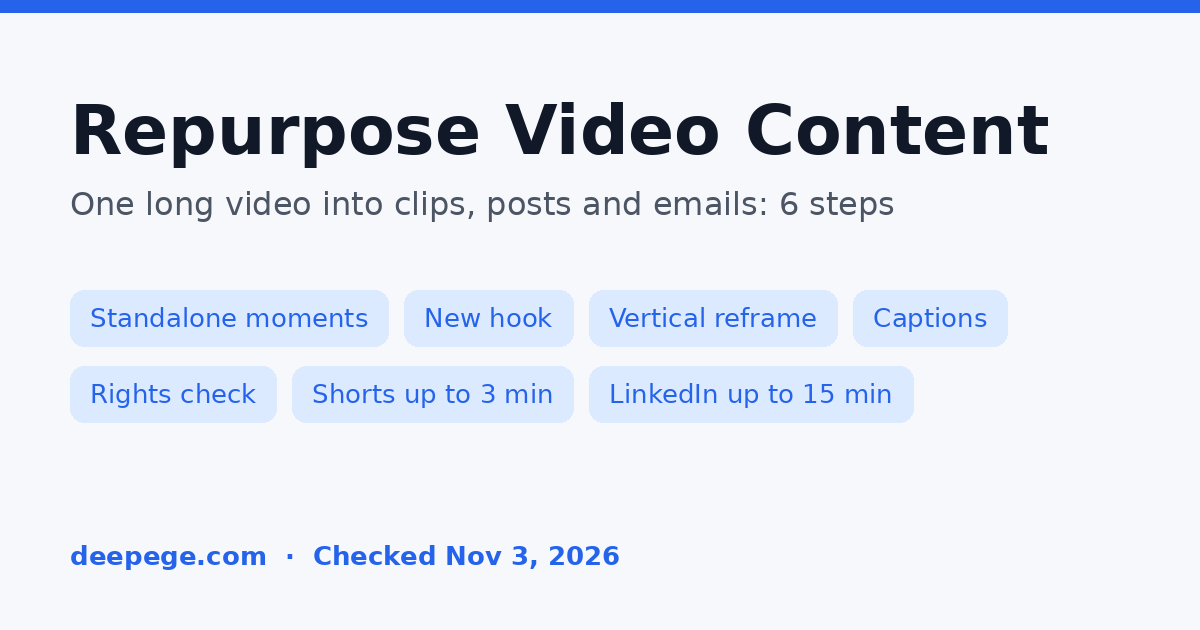
To repurpose video content, take one long recording, pull out the moments that make sense on their own, and rebuild each one for its destination: new hook, new length, the right aspect ratio, captions and a call to action that fits the platform. Re-editing matters more than reposting. YouTube's monetization policy, checked November 3, 2026, says borrowed content must be changed significantly to make it your own, and the same logic applies to your own footage on every feed.
Key points (platform limits checked November 3, 2026):
- Start from one source: a webinar, podcast, interview, demo or long YouTube video. One recording can become short clips, a text post, an email and a blog section.
- Pick moments that stand alone: a clear question and answer, a before and after, a strong opinion or a short how-to.
- Rebuild, don't resize: rewrite the first seconds, cut the setup, add captions and change the call to action for each platform.
- YouTube Shorts can be up to 3 minutes with a square or vertical aspect ratio; Instagram Reels accept aspect ratios from 1.91:1 to 9:16 at 720 pixels or more; LinkedIn allows videos up to 15 minutes.
- Check rights before you post: music, stock footage and guest appearances licensed for one use may not cover another.
What does it mean to repurpose video content?
Repurposing video content means turning one existing video into new pieces made for other formats or platforms, such as short vertical clips, audio episodes, text posts or blog articles. It is different from cross-posting, where the same file goes everywhere unchanged.
The goal is reach and consistency without filming more. A 45-minute webinar already contains the answers, examples and opinions your audience wants; repurposing breaks them out so each one can travel on its own.
How do you repurpose video content step by step?
You repurpose video content in six steps: choose the source, find standalone moments, map each moment to a format, rebuild it for the platform, check rights and accessibility, then publish and track.
- Choose a source worth repurposing. Pick a video that answers real questions or has strong moments. A recording that didn't hold attention the first time usually won't as clips either.
- Transcribe it and mark standalone moments. Read the transcript and highlight passages that make sense without what came before: a question and its answer, a list, a mistake and its fix, a result.
- Map each moment to a format. Decide whether it becomes a vertical clip, a text post, an email, a quote graphic or a blog section (see the table below).
- Rebuild it for the platform. Write a new opening line, trim to the point, reframe to the platform's aspect ratio, add captions and write a platform-specific title or caption.
- Check rights and accessibility. Confirm music and stock are licensed for the new use, get consent from guests who appear, and caption every clip.
- Publish on a schedule and track. Space clips out instead of posting them all at once, and note which moments perform so you know what to film more of.

What can one long video become?
One long video can become short vertical clips, a LinkedIn post, an email, a blog section and an audio episode. Map each moment to the format where it works best instead of forcing every moment into every format.
| Moment in the recording | Best repurposed format | What to change |
|---|---|---|
| A question and a clear answer | Short vertical clip (Shorts, Reels, TikTok) | Put the question on screen in the first second, cut to the answer |
| A step-by-step demo | Clip plus a blog or help-center section | Keep the steps in order, add the written steps under the video |
| A strong opinion or prediction | LinkedIn video or text post | Lead with the claim, add one line of context, ask for replies |
| A customer result or story | Testimonial clip for ads or a landing page | Get written consent, show the result early, add a caption |
| A list ("3 mistakes", "5 tools") | Carousel, email or a short series of clips | One item per slide or clip, number them |
| The full conversation | Audio episode or full YouTube upload | Add chapters and a description with timestamps |
If you want software to find and cut clips for you, our Opus Clip alternatives guide compares clipping tools, and Repurpose.io alternatives covers tools that auto-publish across platforms.
What are the platform limits for repurposed clips?
The platform limits that matter most are length and aspect ratio, and they change, so check them on each platform's own help page before you export. These were the limits on November 3, 2026:
| Platform | What the official help page said | Source |
|---|---|---|
| YouTube Shorts | Up to 3 minutes, square or vertical aspect ratio | YouTube Help: Upload YouTube Shorts |
| Instagram Reels | Aspect ratio between 1.91:1 and 9:16; minimum 30 FPS and 720 pixels | Instagram Help: Reel size and aspect ratios |
| Up to 15 minutes; at least 3 seconds from desktop, 2 seconds from the mobile app; aspect ratio 1:2.4 to 2.4:1 | LinkedIn Help: video sharing | |
| TikTok | Not listed here: TikTok's English upload help page didn't show its limits when we loaded it | Confirm in the TikTok app before you export |
For how long Instagram videos can run in each format, see how long Instagram videos can be. LinkedIn's page also asks you to keep text and logos away from the edges of the frame so the app's buttons don't cover them; the same habit helps on every vertical feed.

How do you avoid repurposed videos looking reused?
You avoid repurposed videos looking reused by changing what viewers see and hear in the first seconds, not just the frame size. A clip that opens mid-sentence with a horizontal video letterboxed inside a vertical frame reads as a leftover.
- Write a new hook. The opening of a clip has to work without the build-up from the original. Draft a few options with the hook generator.
- Remove references to the original. Cut "as I said earlier" and "in the next section", or add a one-line caption that sets the context.
- Reframe the subject. Crop so the speaker or the product fills the vertical frame instead of shrinking the horizontal shot.
- Rewrite the text around the clip. Each platform needs its own title, caption or description; the YouTube title generator, TikTok caption generator and LinkedIn post generator can give you first drafts.
- Know the rules if you monetize. YouTube's channel monetization policies say content should be your original creation and that borrowed content must be changed significantly; its reused content policy reviews clips, compilations and reaction videos. Repurposing your own recordings is fine, but uploading other people's clips with light edits is not.
How do you check captions and rights before posting?
You check captions and rights by treating every repurposed clip as a new publication: it needs its own captions, and every asset in it needs permission for the new use.
- Captions: the W3C's guidance on captions and subtitles explains that captions give people who are Deaf or hard of hearing the speech and the non-speech audio needed to understand a video. They also help people who watch with the sound off. Check auto-captions for names and numbers.
- Music: a track licensed for a webinar or a YouTube upload may not be licensed for ads or other platforms. Swap it for a platform library track or remove it.
- People: guests and customers who agreed to a webinar may not have agreed to appear in ads. Get consent for the new use.
- Translations: if you repurpose into other languages, see our video localization guide for subtitles, dubbing and on-screen text.
Deepege: our product, for turning one idea into platform versions
Deepege is our own product, so weigh this section accordingly. It suits teams that publish short marketing videos regularly to several platforms, not one-off clipping of a single long video.
On deepege.com, the agent writes the script and a director's plan shot by shot, uses your own footage first and fills gaps with public assets, AI shots or digital avatars, then waits for your approval. Voice, subtitles, text overlays and cover are finished together, overseas versions convert the script, voiceover and subtitles into the target language, and videos publish to Douyin, Kuaishou, WeChat Channels, Xiaohongshu and TikTok accounts. The pricing page asks for a fit assessment and says Deepege is not a fit if you publish on just one platform or have no ongoing content schedule. To plan a clip series for free, start with the AI video script generator.
Conclusion
Repurposing video content works when each piece is rebuilt for where it will run: a standalone moment, a new hook, the right frame and captions. Check each platform's current limits, confirm rights for the new use, and track which moments perform so your next long recording is easier to repurpose.
FAQ
What is the best way to repurpose video content?
Start with one long recording, mark moments that stand alone in the transcript, and rebuild each one for its platform with a new hook, the right aspect ratio, captions and a platform-specific caption or title. Re-edit rather than repost the same file everywhere.
How do you turn a long video into short clips?
Transcribe the video, highlight passages that make sense without context, cut each one to the point, reframe it to vertical, add captions and write a new opening line. On November 3, 2026, YouTube Shorts allowed up to 3 minutes with a square or vertical aspect ratio.
Is repurposing video content the same as reposting?
No. Reposting shares the same file again. Repurposing changes the content for a new format or platform, for example by cutting a webinar into short vertical clips with new hooks and captions.
Can I repurpose YouTube videos for Instagram Reels?
Yes, if you own the content. Reframe the clip to fit Instagram's accepted aspect ratios (1.91:1 to 9:16), keep it at 720 pixels or more and at least 30 FPS, add captions and check that any music is licensed for Instagram.
Does repurposing video content hurt monetization on YouTube?
Repurposing your own recordings is not the problem. YouTube's monetization policies say content should be your original creation and that content borrowed from others must be changed significantly, and its reused content policy reviews clips, compilations and reaction videos.
FAQ
What is the best way to repurpose video content?
Start with one long recording, mark moments that stand alone in the transcript, and rebuild each one for its platform with a new hook, the right aspect ratio, captions and a platform-specific caption or title. Re-edit rather than repost the same file everywhere.
How do you turn a long video into short clips?
Transcribe the video, highlight passages that make sense without context, cut each one to the point, reframe it to vertical, add captions and write a new opening line. On November 3, 2026, YouTube Shorts allowed up to 3 minutes with a square or vertical aspect ratio.
Is repurposing video content the same as reposting?
No. Reposting shares the same file again. Repurposing changes the content for a new format or platform, for example by cutting a webinar into short vertical clips with new hooks and captions.
Can I repurpose YouTube videos for Instagram Reels?
Yes, if you own the content. Reframe the clip to fit Instagram's accepted aspect ratios (1.91:1 to 9:16), keep it at 720 pixels or more and at least 30 FPS, add captions and check that any music is licensed for Instagram.
Does repurposing video content hurt monetization on YouTube?
Repurposing your own recordings is not the problem. YouTube's monetization policies say content should be your original creation and that content borrowed from others must be changed significantly, and its reused content policy reviews clips, compilations and reaction videos.