AI Short Video Production · Deepege Editorial Team
eLearning Video Production: Process, Formats, Accessibility and Costs
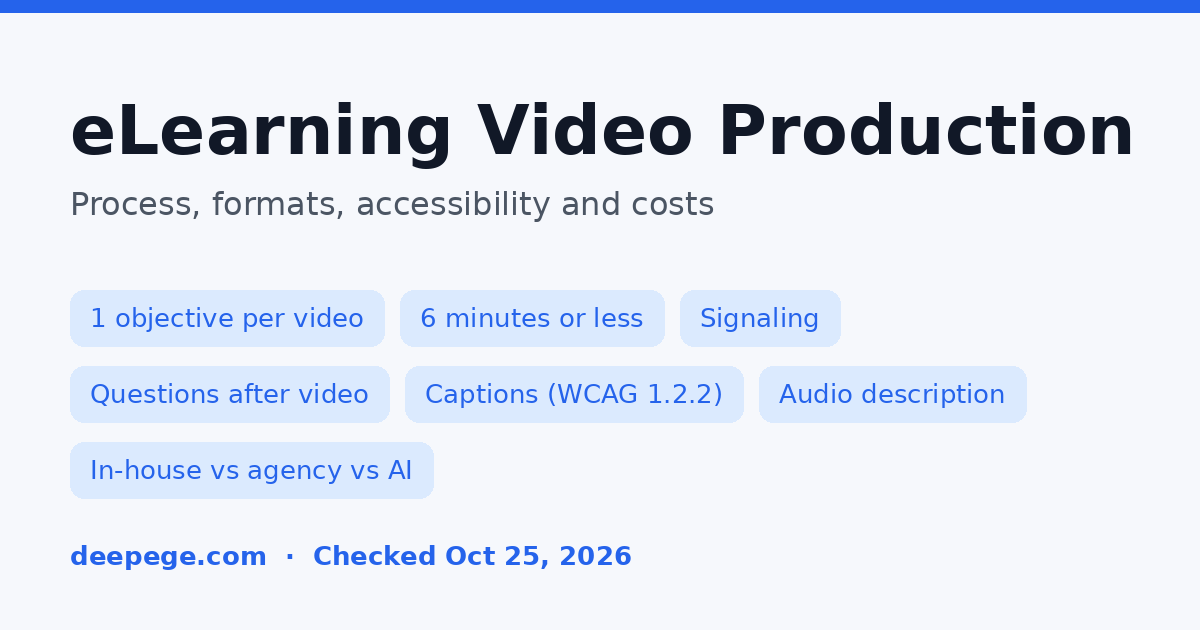
eLearning video production is the process of planning, scripting, recording, editing and publishing videos that teach a specific skill or piece of knowledge inside an online course or learning management system (LMS). For training teams, the work that decides quality happens before and after the camera: setting one learning objective per video, keeping each video short, adding captions and checks for understanding, and planning how the video will be updated.
Key points (checked October 25, 2026):
- Keep each eLearning video to about 6 minutes or less. In an analysis of 6.9 million video sessions in four edX courses, median engagement was close to 100% for videos under 6 minutes and about 20% for videos of 12 to 40 minutes.
- Split a lesson into several short videos, highlight key words on screen, remove decorative music and background, and speak to the learner as "you."
- Put a question or task after each short video; learners who answered questions between short lectures did better on later tests.
- Caption every video and add audio description where important information is only visual, which the W3C's WCAG requires at Level AA.
- Choose in-house, agency or AI production by how often the content changes. Clutch lists $100 to $149 per hour for education and training video agencies.
What is eLearning video production?
eLearning video production means making instructional videos for self-paced or blended learning, such as onboarding, compliance training, software training, product training for sales teams and customer education. It differs from marketing video production in one important way: success is measured by whether the learner can do something afterwards, not by views or clicks.
That changes how the work is planned. A marketing video starts from a message; an eLearning video starts from a learning objective ("after this video, a new agent can issue a refund in the billing system") and a way to check it, such as a short quiz or a practice task in the LMS.
Which eLearning video formats should you use?
The right eLearning video format depends on what the learner needs to see. Software skills need screen recordings, abstract concepts need animation, people skills need scenarios with real or simulated people, and content that changes often suits formats that are cheap to update, such as AI avatar narration or slides with voiceover.
| Format | Best for | Effort to update | Watch out for |
|---|---|---|---|
| Screencast with voiceover | Software and system training | Medium: re-record changed screens | Personal data in demo accounts, tiny text |
| Talking head or subject matter expert | Context, leadership messages, expert explanations | High: reshoot | Long unscripted takes |
| Animation or motion graphics | Processes, abstract concepts, safety procedures | Medium: edit scenes in the source file | Decoration that distracts from the point |
| Scenario or live action role play | Soft skills, customer conversations, compliance situations | High: actors and locations | Script realism, reshoot cost |
| AI avatar or AI voice narration | Frequently updated content and many languages | Low: edit the script and re-render | Learner acceptance, likeness and voice rights |
| Slides with voiceover | Fast internal updates | Low | Reading slides aloud word for word |
Most courses mix two or three of these. A common pattern is a short talking-head introduction, screencasts for each task and an animated summary of the process.
How long should eLearning videos be?
eLearning videos should usually be 6 minutes or shorter, with longer topics split into a series. The evidence comes from a study of edX courses: Guo and colleagues analyzed 6.9 million video-watching sessions across four courses, and the maximum median engagement time for a video of any length was 6 minutes.
The results, as summarized by Cynthia Brame in Effective Educational Videos (CBE Life Sciences Education, 2016), look like this:
| Video length | Median share of the video watched |
|---|---|
| Under 6 minutes | Close to 100% |
| 9 to 12 minutes | About 50% |
| 12 to 40 minutes | About 20% |
Brame concludes that making videos longer than 6 to 9 minutes is likely to be wasted effort. The data come from university MOOCs, not workplace training, so treat 6 minutes as a ceiling to design toward rather than a precise target.
How do you make an eLearning video step by step?
You make an eLearning video by defining the objective and assessment first, then scripting and storyboarding, producing and editing, adding accessibility features, packaging it for your LMS and scheduling a review. The order matters because changes are cheap on paper and expensive after recording.

- Define one objective and how you will check it. Write the objective as an action the learner can do, and write the quiz question or practice task at the same time.
- Gather source material and a subject matter expert. Agree who signs off on accuracy before scripting starts.
- Script and storyboard. Write the narration in conversational language and plan what appears on screen for every line. Split anything longer than about 6 minutes into separate videos.
- Produce. Record screens, film or animate, and record narration with a human or AI voice.
- Edit with the learning principles below. Highlight key words, cut anything that does not serve the objective and add a short recap.
- Make it accessible. Add captions, a transcript and audio description where needed.
- Package, publish and schedule a review. Upload to your LMS or video platform in the format it supports, attach the quiz, and set a date to check whether the content is still correct.
If you work from scripts, our free video script generator drafts scene-by-scene scripts with voiceover and on-screen text, which you can then rewrite around your objective.
What makes an eLearning video effective?
An effective eLearning video manages the learner's cognitive load, keeps them engaged and asks them to do something with what they saw. Brame's review of the research turns this into a short list of practices that apply to almost any training video.

| Practice | What it means in production | Why it helps (per Brame, 2016) |
|---|---|---|
| Signaling | Put two or three key words on screen, or highlight the area that matters | Reduces extraneous load |
| Segmenting | Split a lesson into short videos or clear chapters | Manages intrinsic load |
| Weeding | Remove music, busy backgrounds and interesting but off-topic details | Reduces extraneous load |
| Matching modality | Explain visuals with narration rather than on-screen paragraphs | Uses both audio and visual channels |
| Conversational language | Say "your account" rather than "the account" | Learners try harder to make sense of the lesson |
| Questions after short videos | Add a question or task after each video | Better later test performance, less mind wandering |
| Learner control | Add chapters so learners can skip and rewatch | Better learning outcomes and satisfaction |
The questions point has direct evidence behind it. Brame cites a study by Szpunar and colleagues in which students who answered questions between roughly 5-minute video lectures performed significantly better on later tests and reported less mind wandering than students who did unrelated tasks between videos.
What accessibility does an eLearning video need?
Every eLearning video needs captions, and videos where important information is only shown on screen need audio description or an equivalent. Both requirements come from the W3C's Web Content Accessibility Guidelines (WCAG).
- Captions (WCAG 1.2.2, Level A). The W3C's Captions (Prerecorded) criterion asks for captions on all prerecorded audio, including who is speaking and meaningful sound effects, not only the dialogue.
- Audio description (WCAG 1.2.5, Level AA). The Audio Description (Prerecorded) criterion asks for narration that describes important visual details. If the narration already explains everything shown, no extra audio description is needed.
- A transcript. It helps learners who search or review, and it doubles as the text you will update when the process changes.
The cheapest way to meet the audio description requirement is to write narration that says what the learner is seeing ("click Refund, in the top right of the order screen") instead of "click here."
Should you produce eLearning videos in-house, outsource or use AI?
Produce eLearning videos in-house when content changes often and you have steady volume, outsource when you need high production value or specialist skills such as animation or scenario filming, and use AI tools when you need many languages or frequent script changes. Many training teams combine all three.
| Option | Good fit | Costs to plan for | Main risk |
|---|---|---|---|
| In-house team | Steady weekly volume, software training, frequent updates | Staff time, recording equipment, editing and authoring software | Skills gaps in instructional design or animation |
| Agency or freelancer | Flagship courses, animation, scenario filming | Clutch lists $100 to $149 per hour for education and training video agencies | Source files and update costs not agreed upfront |
| AI video tools | Frequent updates, many languages, avatar narration | Subscription or credits; enterprise tiers for LMS features | Learner acceptance; check rights and review every translation |
On LMS features, check the plan level, not only the product. For example, Synthesia's pricing page, checked October 25, 2026, listed SCORM export under its Enterprise plan. For full cost breakdowns, see our video production cost guide; for avatar platforms, our Synthesia alternatives comparison has a training-focused section; and if your training is mostly screen recordings with quizzes, our Camtasia alternatives guide compares recorders and editors.
How do you choose an eLearning video production company?
Choose an eLearning video production company by checking whether it understands instructional design and accessibility, not only filming and editing, and by agreeing who owns the source files and what updates will cost before you sign. Questions to ask:
- Do you start from learning objectives? Ask to see a script or storyboard from a past training project, not only a showreel.
- Who writes the instructional content? Find out whether they have instructional designers or expect your subject matter experts to supply everything.
- What accessibility do you deliver? Captions with speaker IDs and sound effects, transcripts and audio description should be in the quote, not extras discovered later.
- Which LMS formats do you deliver? Confirm the file or package format your LMS needs, such as MP4 files or a SCORM package.
- Do we get the source files? Editable project files, animation files and the voiceover script make future updates possible without starting over.
- How are updates priced? Ask for the cost of changing one screen, one line of narration and one language version.
- How many revision rounds are included, and at which stage (script, storyboard, first cut)?
Clutch's video production pricing guide lists the same $100 to $149 hourly band for education and training, explainer and corporate video, so most of the price difference between quotes comes from hours: length, style, revisions and versions.
How do you keep eLearning videos up to date?
Keep eLearning videos up to date by treating the script as the source of truth: store the current script, transcript and source files together, record a review date for each video, and choose formats that can be re-rendered or partly re-recorded when a process changes.
Practical habits:
- Version the script, not only the video. When a step changes, update the script first, then the affected scenes.
- Separate on-screen text from footage so it can be changed or translated without re-editing everything; our video localization guide covers subtitles, voiceover and dubbing options.
- Keep videos short and modular, so a change in one task means replacing one 3-minute video, not a 30-minute recording.
Deepege is our own product. It is built for marketing teams at Chinese businesses that publish short product videos across platforms such as Douyin, WeChat Channels and TikTok, and its website does not describe LMS or SCORM features, so it is not an eLearning authoring tool. For training content, the free AI voiceover generator can turn a script into a draft narration in several languages for review.
How we put this guide together
We reviewed the US top 10 Google results for "elearning video production" on October 25, 2026, using Semrush data. Most were agency service pages, so we focused on what a training team needs to decide and check. Research findings come from Brame's 2016 review in CBE Life Sciences Education, which summarizes Guo and colleagues' edX study and other work; we could not open the original edX paper on the day, so figures are as reported by Brame. Accessibility requirements come from the W3C's WCAG 2.2 understanding documents, and rates come from Clutch's pricing guide updated September 21, 2026. The format table and vendor questions are our own recommendations. We did not test any tool or agency for this guide.
Conclusion
eLearning video production works best when every video has one objective, runs about 6 minutes or less, uses signaling and conversational narration, ends with a question or task, and ships with captions. Decide between in-house, agency and AI by how often the content changes, and agree on source files and update costs before production starts.
FAQ
What is eLearning video production?
eLearning video production is the process of planning, scripting, recording, editing and publishing videos that teach a specific skill or piece of knowledge inside an online course or learning management system (LMS).
How long should an eLearning video be?
Usually 6 minutes or less. In Guo and colleagues' analysis of 6.9 million video sessions in four edX courses, as summarized by Brame (2016), median engagement was close to 100% for videos under 6 minutes, about 50% at 9 to 12 minutes and about 20% at 12 to 40 minutes.
What are the steps in eLearning video production?
Define one objective and how you will check it, gather source material and a subject matter expert, script and storyboard, produce, edit, add captions and audio description, then package it for your LMS and schedule a review.
Do eLearning videos need captions?
Yes. WCAG 1.2.2 (Level A) asks for captions on all prerecorded audio, including speakers and meaningful sounds, and WCAG 1.2.5 (Level AA) asks for audio description of important visual information that the narration does not already explain.
How much does eLearning video production cost?
Costs depend mostly on hours, style, revisions and versions. Clutch's pricing guide, updated September 21, 2026, lists $100 to $149 per hour for education and training video agencies.