AI Short Video Production · Deepege Editorial Team
Descript Alternatives: 7 Text-Based Editors and Tools Compared
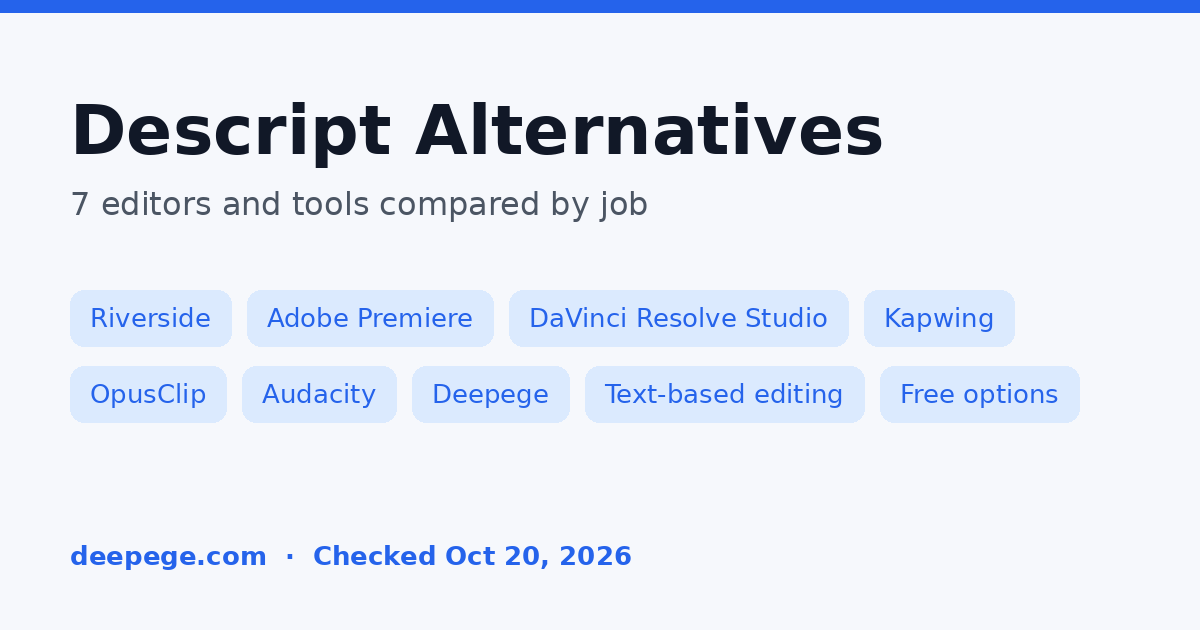
The best Descript alternatives depend on why you edit by transcript. Riverside suits teams that record remote interviews and edit them in the same place, Adobe Premiere and DaVinci Resolve Studio bring text-based editing into a full desktop editor, Kapwing suits browser-based team editing, OpusClip suits turning long videos into short clips, and Audacity is the free choice for audio-only podcasts.
Key points (every plan and price below was checked on the vendor's official pricing page, product page or help center on October 20, 2026):
- Descript's Free plan includes text-based editing, 60 media minutes a month and 720p export. Paid plans start with Hobbyist at $16 per person per month billed annually, or $24 month to month.
- Descript is not the only editor with text-based editing: Riverside, Adobe Premiere, DaVinci Resolve Studio and Kapwing all let you cut video by editing a transcript.
- DaVinci Resolve Studio is the only one-time purchase here, and Audacity is the only tool that is completely free.
- No alternative copies every Descript feature, so pick by the job: recording, desktop editing, browser editing, short clips or audio.
- Deepege, our own product, is listed last and only for the use case it is built for.
What Descript offers, and why people look for alternatives
Descript is a video and podcast editor that lets you edit a recording by editing its transcript, with AI tools for cleanup, voice and repurposing. Its plans set the baseline for this comparison (Descript pricing):
- Free: text-based editing, 60 media minutes a month, 100 one-time AI credits, transcription in 25 languages and local export at 720p.
- Hobbyist: $16 per person per month billed annually ($24 monthly), with 10 media hours, 400 AI credits a month and watermark-free 1080p export.
- Creator: $24 billed annually ($35 monthly), with 30 media hours, 800 AI credits and 4K export.
- Business: $50 billed annually ($65 monthly), with 40 media hours, 1,500 AI credits, video translation and dubbing in 30+ languages, and custom avatars.
People usually look for a Descript alternative for one of four reasons: media hours or AI credits run out before the month ends, they want a one-time purchase instead of a subscription, they need a stronger recorder or a full professional timeline, or they only need part of Descript, such as short clips or audio cleanup.
Descript alternatives at a glance
This table summarizes what each official page listed on October 20, 2026. Prices are the lowest paid plan shown, in USD.
| Tool | Best for | Text-based editing | Free option | Entry paid price |
|---|---|---|---|---|
| Descript (baseline) | Editing talking-head video and podcasts by transcript | Yes, on all plans | Free plan, 60 media min/month, 720p | Hobbyist $16/month billed annually ($24 monthly) |
| Riverside | Remote recording plus editing | Yes, unlimited on Pro | 14-day free trial of paid plans | Pro $35/month |
| Adobe Premiere | Full desktop editing in Creative Cloud | Yes (Text-Based Editing workspace) | Not checked | Subscription; price not quoted (page did not load for us) |
| DaVinci Resolve Studio | Professional editing without a subscription | Yes, in Studio (not the free version) | Free version without text-based editing | $295 one-time list price |
| Kapwing | Browser editing for teams | Yes (Trim with Transcript) | 10 credits, 4-min exports, 720p, watermark | Pro $16/month billed annually |
| OpusClip | Turning long videos into short clips | Not its focus | 60 credits/month, watermark | Starter $15/month |
| Audacity | Free audio-only podcast editing | No | Free and open source | Free |
| Deepege (引擎AI, ours) | Marketing videos for Chinese teams | Not a transcript editor | Start for free | No public price list |

How we chose and compared these tools
We started from what people actually use Descript for: editing by transcript, recording interviews, cleaning up audio and cutting short clips. For each job we picked tools whose official pages state the feature and a price or a free option. Every fact comes from the vendor's pricing page, product page or help center, opened on October 20, 2026.
- What we compared: whether the tool edits by transcript, the free option, the entry price and billing basis, and the job each tool fits best.
- What we did not do: we did not run timed edits or test transcription accuracy, so this page makes no claim about which tool is fastest or most accurate. Try a real episode before you switch.
- What we left out: Adobe's prices, because its plans page did not load for us; Riverside's annual prices, because the plan cards and the FAQ on its pricing page showed different figures that day; first-month promotions on any page; and tools we did not check that day. Podcastle was left out because its pricing page now centers on AI video and image generation rather than transcript editing.
- Our own product: Deepege is built by us. We placed it last and describe only the job it is designed for.
1. Riverside: best for recording and editing in one place
Riverside is the Descript alternative for podcasters and marketers who record remote guests and want to edit the recording without moving files to another app. Pro costs $35 a month on monthly billing and starts with a 14-day free trial. It records up to 4K video with 48kHz audio, has no watermark, and includes unlimited text-based editing and unlimited transcriptions (Riverside pricing).
- What stands out: Magic Clips and AI show notes, AI B-roll, eye contact, removal of silences and filler words, plus podcast hosting and publishing to YouTube, Spotify and Apple.
- Keep in mind: Riverside advertises up to 20% off yearly plans, but its plan cards and FAQ gave different annual prices when we checked, so confirm the annual price at checkout. Live streaming and social scheduling start on Grow ($45 a month).
2. Adobe Premiere: best if you already work in Creative Cloud
Adobe Premiere is the Descript alternative for editors who want transcript-based rough cuts inside a full professional timeline. Its Text-Based Editing workspace can transcribe clips automatically when you import them, and you then build and trim the edit from the transcript (Adobe Premiere Text-Based Editing).
- What stands out: Adobe's help pages cover detecting and deleting pauses in a transcript, removing every line from one speaker, and translating captions, alongside Premiere's color, audio and effects tools.
- Keep in mind: Premiere is sold by subscription, on its own or as part of a multi-app Creative Cloud plan. Adobe's plans page did not load for us on October 20, 2026, so we have not quoted a price. Check it on Adobe's site before you compare costs.
3. DaVinci Resolve Studio: best one-time purchase with text-based editing
DaVinci Resolve Studio is the Descript alternative for people who want to stop paying a monthly fee. Blackmagic Design lists text-based editing among the features DaVinci Resolve Studio adds to the free version, together with the DaVinci AI Neural Engine, AI noise reduction and magic mask (DaVinci Resolve).
- What stands out: Studio is a one-time purchase with a $295 list price (shown on sale at $236 when we checked on October 20, 2026), and it runs on Mac, Windows and Linux. It supports 10-bit video up to 120 frames per second and resolutions beyond 4K.
- Keep in mind: the free version of DaVinci Resolve is a full editor for 8-bit video up to Ultra HD at 60fps, but text-based editing is a Studio feature. DaVinci Resolve is built for professional editing and color work, so expect a steeper learning curve than Descript.
4. Kapwing: best browser alternative for teams
Kapwing is the Descript alternative for teams that want to edit together in a browser, with subtitles and dubbing in the same workspace. Its tool list includes Trim with Transcript ("edit videos by editing text") and dubbing into 40+ languages. Pro costs $16 a month on annual billing, removes the watermark, exports in 4K and includes 1,000 credits a month (Kapwing pricing).
- What stands out: Pro credits cover up to 1,000 minutes of auto-subtitling and 50 minutes of dubbing a month, with a Brand Kit and a shared workspace. Voice clones and lip sync sit on Business ($50 a month on annual billing).
- Keep in mind: the free plan gives 10 credits and adds a watermark to exports of up to 4 minutes at 720p. Kapwing says it does not offer a free trial of paid plans. For a wider look at browser editors, see our VEED alternatives guide.
5. OpusClip: best for turning long videos into short clips
OpusClip is the Descript alternative if you mainly use Descript to cut highlights from long recordings for Shorts, TikTok and Reels. Its Free plan gives 60 credits a month and clips up to 1080p with a watermark. Starter costs $15 a month (monthly billing only) for 150 credits, AI clipping with a Virality Score, animated captions in 20+ languages and watermark removal (OpusClip pricing).
- What stands out: Pro, at $14.50 a month billed annually ($174 a year), adds 300 credits a month that roll over for 2 months, two seats, a social media scheduler and export to Adobe Premiere Pro and DaVinci Resolve.
- Keep in mind: OpusClip is a clipping tool, not a full transcript editor. The Free plan has no editing, and free clips can no longer be exported after 3 days.
6. Audacity: best free option for audio-only podcasts
Audacity is the Descript alternative for podcasters who publish audio only and want to pay nothing. It is a free, open source audio editor and recorder for Windows, macOS and Linux, and the Audacity team says it will always remain free for everyone (Audacity).
- What stands out: support for all major audio formats, third-party plugins such as VST3 and Nyquist, and spectrogram analysis. Audio.com, its online companion, adds sharing and versioned backups.
- Keep in mind: Audacity is a waveform editor. It does not edit by transcript and does not handle video, so you lose Descript's main workflow in exchange for a zero price.
7. Deepege (our product): for Chinese teams making marketing videos
Deepege (引擎AI) is our own product, so weigh this section accordingly. It is not a transcript editor for recordings you already have. It is an AI marketing agent for Chinese businesses: it drafts a shot-by-shot director's plan that uses your own footage first, fills gaps with public assets, AI shots or digital avatars, and waits for your approval before it makes the video. Voice, subtitles, text overlays, cover and music are finished together, and overseas versions convert the script, voiceover and subtitles at the same time (Deepege).
- Who it suits: brand and operations teams that publish marketing videos every week to Douyin, Kuaishou, WeChat Channels, Xiaohongshu and TikTok. You can start for free; paid pricing follows a fit assessment, and there is no public price list (Deepege pricing).
- Who it does not suit: podcasters and editors who want to cut their own recordings by transcript. One of the tools above fits that job better.
- Try it on a small task: draft a script with our free video script generator.
Is there a free alternative to Descript?
Yes, but each free option gives up something. Audacity is completely free for audio-only editing. The free version of DaVinci Resolve is a full video editor, though text-based editing requires the paid Studio version. Kapwing and OpusClip have free plans that add a watermark, and Descript's own Free plan already includes text-based editing within 60 media minutes a month at 720p.
If you mainly need short social clips from a long recording, OpusClip's free plan is the quickest test. If you need captions and templates for short videos rather than transcript editing, our CapCut alternatives guide covers free editors without a watermark.
Which Descript alternative should you choose?
Choose by the job you use Descript for most, then test it on one real recording before you cancel.

- Recording remote interviews and editing them in one place: Riverside.
- Transcript rough cuts inside a professional editor you already pay for: Adobe Premiere.
- No subscription: DaVinci Resolve Studio, as a one-time purchase.
- Editing with a team in the browser, with subtitles and dubbing: Kapwing.
- Turning episodes into Shorts, TikToks and Reels: OpusClip.
- Audio-only podcasts on zero budget: Audacity.
- A weekly marketing-video pipeline for Chinese and overseas platforms: Deepege.
If voice cloning is the Descript feature you will miss most, compare dedicated voice tools in our ElevenLabs alternatives guide. Before you switch, export your Descript projects and transcripts in formats your new tool can open, and check how each new plan counts usage, whether by media hours, credits or minutes.
Conclusion
The right Descript alternative is the one that matches the job you bought Descript for. Riverside is the closest match for recording plus transcript editing, Premiere and DaVinci Resolve Studio bring text-based editing into professional editors, Kapwing covers browser teamwork, OpusClip handles short clips, and Audacity covers audio for free. Plans and limits change often, so confirm them on each vendor's page before you commit.
FAQ
Is there a free alternative to Descript?
Yes. Audacity is free and open source for audio-only editing, and the free version of DaVinci Resolve is a full video editor, though text-based editing needs the paid Studio version. Kapwing and OpusClip have free plans that add a watermark.
What is the best Descript alternative for podcasts?
For video podcasts with remote guests, Riverside fits best: Pro records up to 4K and includes unlimited text-based editing for $35 a month. For audio-only podcasts on no budget, Audacity is a free, open source audio editor.
Which video editors have text-based editing like Descript?
Riverside, Adobe Premiere (its Text-Based Editing workspace), DaVinci Resolve Studio and Kapwing (Trim with Transcript) all let you edit video by editing a transcript, according to their official pages checked on October 20, 2026.
Does DaVinci Resolve have text-based editing?
Yes, but only in the paid DaVinci Resolve Studio, a one-time purchase with a $295 list price. Blackmagic Design lists text-based editing among the features Studio adds, so the free version of DaVinci Resolve does not include it.
How much does Descript cost?
Descript has a Free plan with 60 media minutes a month. Hobbyist costs $16 per person per month billed annually or $24 monthly, Creator $24 or $35, and Business $50 or $65, according to its pricing page on October 20, 2026.