Overseas Marketing · Deepege Editorial Team
Canva Alternatives 2026: 5 Tools Compared, Prices Checked Nov 4
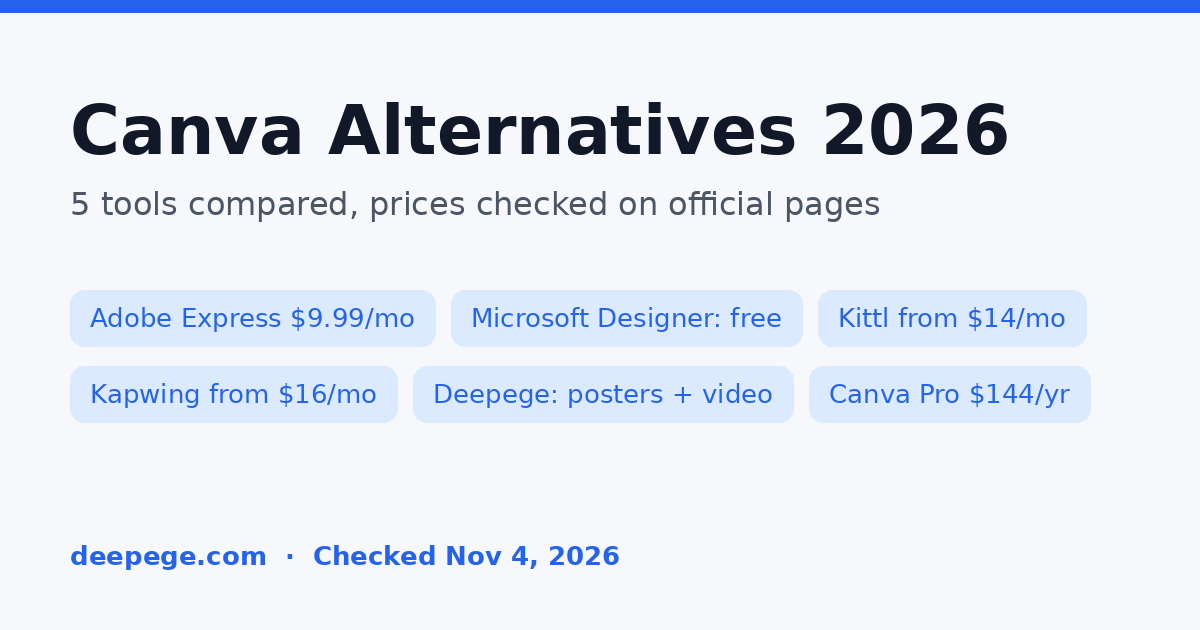
The best Canva alternatives for marketing teams are Adobe Express if you want the closest template-based swap, Microsoft Designer if you need free AI images, Kittl for AI design and product mockups, Kapwing if most of your work is video, and Deepege if you want posters and short marketing videos made from a product brief. We opened every official pricing page on November 4, 2026, the day after Canva announced a restructure affecting 22% of its staff.
Key points (prices in USD, before tax, checked November 4, 2026):
- Canva is not shutting down. Its Free plan is $0, Pro is US$144 a year for one person and Business is US$250 a year per person.
- Cheapest paid swap: Adobe Express Premium at US$9.99 a month.
- Free options: Adobe Express Free, Microsoft Designer (free with monthly credits), Kittl Free (100 one-time AI tokens, personal use only), Kapwing Free (watermarked exports) and Deepege's free poster and flyer tools (free credits after sign-up).
- If you also make video ads: Kapwing is an editor for footage you already have; Deepege produces the video from your product materials.
Is Canva shutting down?
No. Canva announced a reorganization, not a product shutdown. On November 3, 2026, co-founder and CEO Melanie Perkins told staff that 1,271 people, about 22% of the company, would be affected through role changes, relocation to central hubs or layoffs, according to the full memo published by Business Insider and reporting by The Verge. The memo says growth "has slowed for the first time in a decade" and that Product, Growth and Platform teams will merge into one product organization. It does not announce a price change or the end of any Canva plan.
So you do not need to move your designs this week. The real question is whether another tool fits your work better or costs less, which is what the comparison below answers.
How much does Canva cost?
Canva costs US$0 for Free, US$144 a year for Pro and US$250 a year per person for Business, according to Canva's pricing page on November 4, 2026. Enterprise is priced by sales.
| Canva plan | Price (yearly view) | What marketers notice |
|---|---|---|
| Free | US$0 | 1.6M+ templates, 1 Brand Kit (3 colors), 5GB storage, limited AI |
| Pro | US$144/year, one person | Premium templates and stock, 5 Brand Kits, social scheduling, 10x the AI of Free |
| Business | US$250/year per person | Team admin, 100 Brand Kits and approvals, 20x the AI of Free |
| Enterprise | Contact sales | SSO and SCIM, 1,000 Brand Kits |
Canva's US page showed yearly prices, so we quote those. Prices exclude tax. Canva's Standard, Premium and Ultra AI tools share one monthly AI allowance, and an "AI Pass" add-on costs extra.
Canva alternatives compared
| Tool | Best for | Entry paid price (checked 2026-11-04) | Free option |
|---|---|---|---|
| Adobe Express | Closest template-based swap for social posts, flyers and short videos | Premium US$9.99/mo | Free plan, no credit card |
| Microsoft Designer | Free AI images and quick social graphics | Free; Microsoft 365 Personal US$9.99/mo adds more | Yes, monthly credits |
| Kittl | AI design, print-ready graphics and product mockups | Pro US$14/mo billed annually, US$19 monthly | 100 AI tokens, one time, personal use |
| Kapwing | Editing and repurposing marketing video | Pro US$16/mo billed annually, US$24 monthly | Watermarked exports up to 4 min, 720p |
| Deepege (our product) | Posters, flyers and short product videos from a written brief | Platform priced after a fit assessment | Free poster and flyer tools, free credits after sign-up |

How we compared
We picked tools that cover the jobs marketing teams most often use Canva for: social posts, posters and flyers, and short promo videos. For each one we opened the official pricing page on November 4, 2026 (rendered in a browser, US English, USD) and wrote down the plan names and prices shown. We left out tools whose price we could not see on an official page that day. Deepege is our product and is listed last.
1. Adobe Express
- Link: Adobe Express pricing
- Best for: small businesses and social media managers who want templates, brand kits and quick video edits in one place, like Canva.
- Price checked: November 4, 2026. Free: US$0, 100,000+ static and video templates, no credit card required. Premium: US$9.99 a month with 250 generative credits a month and all premium templates. Firefly Pro: US$19.99 a month with 4,000 monthly generative credits for AI video and audio, plus Photoshop on web and mobile.
- Review: This is the most direct like-for-like Canva swap: drag-and-drop templates, resizing, brand kits and Adobe Stock built in. Adobe describes its Firefly-powered features as "designed to be commercially safe." If your designers already work in Photoshop or Illustrator, linked assets are the main reason to pick it.
2. Microsoft Designer
- Link: Microsoft Designer
- Best for: anyone who needs a free AI image, invitation, banner or social post quickly and already has a Microsoft account.
- Price checked: November 4, 2026. Designer is free with monthly credits. The paid upgrades Microsoft lists on the Designer page are Microsoft 365 Personal (US$9.99 a month), Family (US$12.99) and Premium (US$19.99), which also include the Office apps and more AI usage.
- Review: Designer is prompt-first: you describe the image or design and edit the result, rather than starting from a big template library. That makes it fast for one-off graphics but weaker for a full brand system with locked fonts and colors. Good as a free add-on, not a full Canva replacement for a team.
3. Kittl
- Link: Kittl pricing
- Best for: brands and sellers who need print-ready graphics, product images and mockups at volume.
- Price checked: November 4, 2026. Free: 100 AI tokens one time (up to 20 images or 1 video, per Kittl). Pro: US$14 a month billed annually or US$19 monthly, 2,000 AI tokens a month. Expert: US$39 billed annually or US$49 monthly, 12,000 tokens. Max: US$65 billed annually or US$85 monthly, 30,000 tokens.
- Review: Kittl sits between Canva and an AI image tool. Bulk mockup creation is unlimited on every plan, which suits merch and e-commerce teams. Check the license before you sell anything: Kittl's FAQ says the Free plan is for personal use only, while Pro and Expert include a commercial license for up to 500,000 copies. Its video output is token-limited, so it is not a full social video tool.
4. Kapwing
- Link: Kapwing pricing
- Best for: marketing teams that mostly edit, subtitle, resize and repurpose video rather than design static graphics.
- Price checked: November 4, 2026. Free: 10 credits, unlimited watermarked exports up to 4 minutes at 720p. Pro: US$16 a month billed annually or US$24 monthly, 1,000 credits a month, no watermark, 4K export, auto-subtitling up to 1,000 minutes and dubbing up to 50 minutes a month. Business: US$50 a month billed annually, 4,000 credits, voice clones and lip sync.
- Review: If you used Canva's video editor and hit its limits, Kapwing is the stronger browser editor: subtitles, dubbing, Smart Cut and resizing are its core. It is not a poster or flyer tool, so pair it with one of the options above for print work. If you are comparing video editors only, see our CapCut alternatives guide.
5. Deepege (our product)
- Link: AI poster generator
- Best for: brands that need steady posters, flyers and short product videos for social and overseas markets, made from a brief instead of dragged together from a template.
- Price checked: November 4, 2026. The free poster and flyer tools give new users free credits after sign-up. The full platform is priced after a fit assessment; there is no public price list (see our pricing page).
- Review: Deepege works differently from Canva. You describe what you are promoting, the headline, the offer and the size, attach a product photo if you have one, and Deepege generates the poster; you then ask for changes or other sizes in plain words. The same brief can become a short marketing video with voiceover and subtitles. Choose it when the bottleneck is producing on-brand promotions every week, not hand-tuning one design.
Which Canva alternative should you choose?
- Closest Canva replacement with templates: Adobe Express.
- Free AI graphics with no new subscription: Microsoft Designer.
- Product mockups and print-ready merch graphics: Kittl (paid plan for commercial use).
- Editing and repurposing marketing video: Kapwing.
- Posters, flyers and short promo videos made from a brief: Deepege.
If you are staying on Canva, nothing in the November 2026 announcement requires you to act. If you are leaving, follow the checklist below before you cancel.

- Export your brand assets: logos, font files and color codes, so you can rebuild a brand kit in the new tool.
- Download final files of designs you still use, in the formats you print or post.
- List the templates you reuse every week, and rebuild those first.
- Check the commercial license of the plan you pick, especially for AI images in paid ads or products you sell.
- Compare yearly and monthly prices. Canva showed yearly prices; Kittl and Kapwing charge more month to month.
- Test one real job, such as this week's sale post, before you move a whole team.
What is the best free Canva alternative?
The best free Canva alternative is Adobe Express Free for template-based design, because it includes 100,000+ static and video templates and needs no credit card. For a single AI-made image, Microsoft Designer is free with monthly credits. For a free promotional poster or flyer, Deepege's free tools, such as the AI poster generator and the grand opening flyer maker, give free credits after sign-up.
Can a Canva alternative make flyers and sale posters?
Yes. Adobe Express, Kittl and Deepege all make flyers and posters. For seasonal promotions, Deepege has ready prompts for common jobs, such as a Black Friday poster maker and a handyman flyer maker. For the headline and offer text on those designs, try our free AI ad copy generator. Always check every price, date and phone number on an AI-made design before you print or post it.
FAQ
Is Canva shutting down in 2026?
No. On November 3, 2026, Canva announced a restructure affecting 1,271 people (22% of staff) and said growth had slowed. It did not announce the end of any plan or product.
How much is Canva Pro?
Canva Pro is US$144 a year for one person on Canva's US pricing page (checked November 4, 2026). Business is US$250 a year per person. Prices exclude tax.
What is the cheapest Canva alternative?
Among the paid plans we checked, Adobe Express Premium at US$9.99 a month is the cheapest full template editor. Kittl Pro is US$14 a month billed annually. Microsoft Designer is free with monthly credits.
What is the best Canva alternative for video?
Kapwing is the best fit if you edit and repurpose existing footage. If you want a short product video made from a brief, with voiceover and subtitles, Deepege is built for that. For scripts and ad copy, try our free AI ad copy generator.
Is CapCut a Canva alternative?
Only for video. CapCut is a video editor; it does not replace Canva for posters or flyers. See our CapCut alternatives guide for video editors.
Can I use AI-made designs commercially?
It depends on the tool and the plan. Kittl's FAQ says its Free plan is for personal use only, while Pro and Expert include a commercial license. Adobe describes its Firefly features as designed to be commercially safe. Check each tool's terms before using AI images in paid ads.
FAQ
Is Canva shutting down in 2026?
No. On November 3, 2026, Canva announced a restructure affecting 1,271 people (22% of staff) and said growth had slowed. It did not announce the end of any plan or product.
How much is Canva Pro?
Canva Pro is US$144 a year for one person on Canva's US pricing page (checked November 4, 2026). Business is US$250 a year per person. Prices exclude tax.
What is the cheapest Canva alternative?
Among the paid plans we checked, Adobe Express Premium at US$9.99 a month is the cheapest full template editor. Kittl Pro is US$14 a month billed annually. Microsoft Designer is free with monthly credits.
What is the best Canva alternative for video?
Kapwing is the best fit if you edit and repurpose existing footage. If you want a short product video made from a brief, with voiceover and subtitles, Deepege is built for that. For scripts and ad copy, try our free AI ad copy generator.
Is CapCut a Canva alternative?
Only for video. CapCut is a video editor; it does not replace Canva for posters or flyers. See our CapCut alternatives guide for video editors.
Can I use AI-made designs commercially?
It depends on the tool and the plan. Kittl's FAQ says its Free plan is for personal use only, while Pro and Expert include a commercial license. Adobe describes its Firefly features as designed to be commercially safe. Check each tool's terms before using AI images in paid ads.